
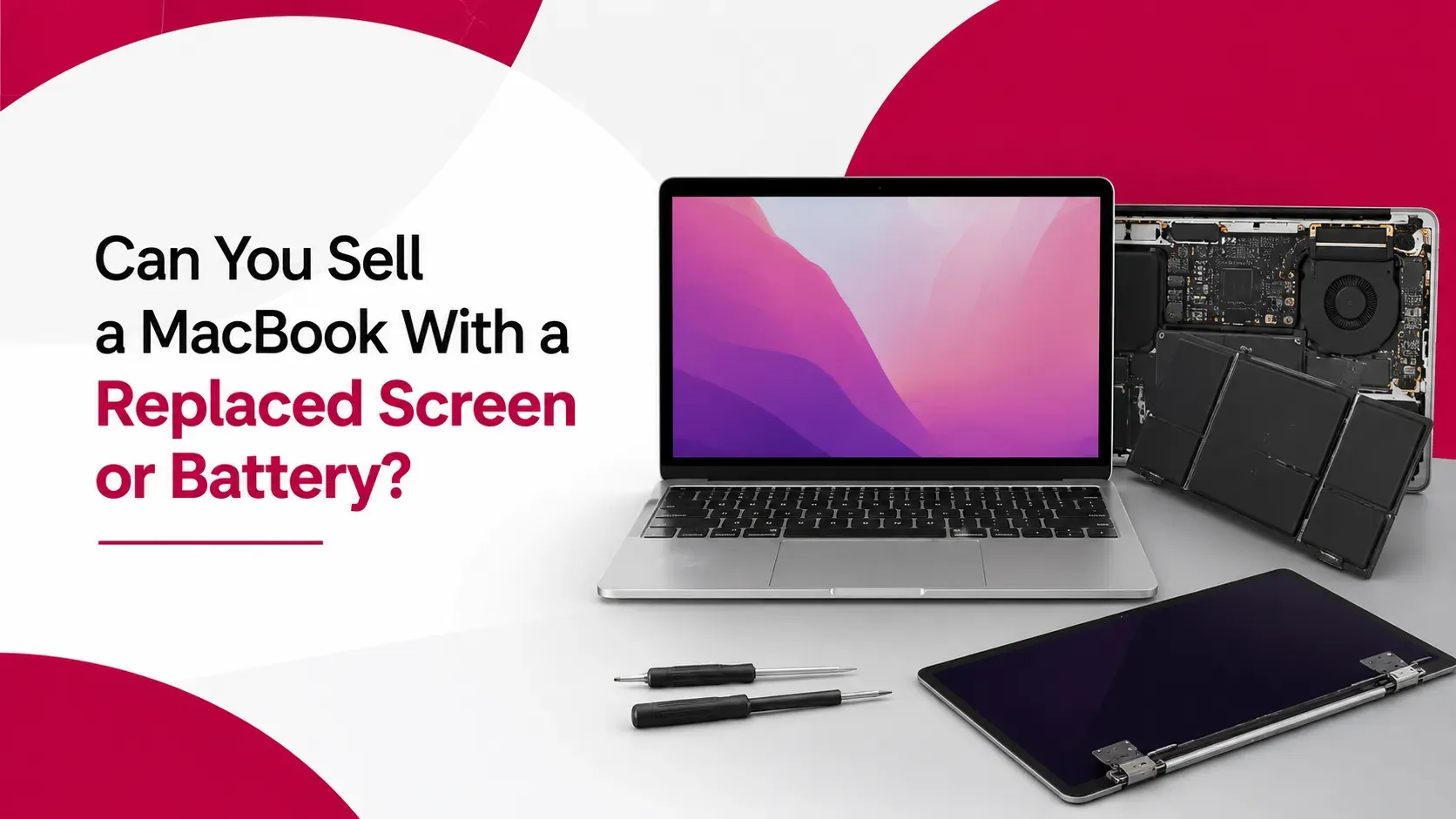
Replacing a MacBook screen or battery doesn't automatically make the device unsellable. A repaired MacBook can still have good resale value, especially when the replacement was completed properly and the device continues to perform as expected.
However, the type of replacement part and the quality of the repair can matter when you're trying to sell a MacBook in Dubai. Buyers may want to know whether the screen or battery is a genuine Apple part, whether the repair was professionally completed, and whether there's documentation showing what was replaced.
Apple has also made repair history more visible on supported Macs. On Apple Silicon Macs running macOS Tahoe 26 or later, the Parts & Service section in System Settings can show information about certain repaired components. Apple says a new owner can also check the Mac's repair history after purchasing the device.
This means sellers shouldn't assume a previous repair needs to be hidden. Providing accurate information about the replacement can help buyers understand the MacBook's current condition and make a more informed decision.
Quick Answer: Can You Sell a MacBook With a Replaced Screen or Battery?
Yes, you can sell a MacBook with a replaced screen or battery. A replacement part doesn't automatically prevent a MacBook from being sold. What can affect buyer interest and the price offered is the quality, type, functionality, and documented history of the replacement.
Before selling, check which component was replaced, whether it's genuine Apple, used, or third-party, whether it works correctly, whether the repair was completed professionally, and whether you have the repair invoice or service record. Apple's current documentation identifies repair statuses such as Genuine, Used, Unknown, and Unverified on supported Macs.
If you're unsure how a repair affects your specific device, you can check your MacBook's value in the UAE based on its exact condition and repair history.
Key Takeaways
- A repaired MacBook can still have resale value
- A replaced screen or battery doesn't automatically make a MacBook less desirable
- The quality and type of replacement part matter
- Apple Silicon Macs running macOS Tahoe 26 or later may show repair information in Parts & Service
- An Unknown part status can indicate a non-genuine component or one that hasn't been properly verified, and Apple states this may affect trade-in value
- Sellers should disclose significant repairs rather than presenting a repaired MacBook as untouched
- A properly repaired MacBook can remain a practical option for buyers in the UAE used-device market
Does a Replaced Screen Reduce MacBook Resale Value?
A replaced screen can affect resale value, but there's no universal percentage or fixed deduction that applies to every MacBook. The impact depends on the circumstances of the repair.
A buyer is likely to consider the MacBook model and age, type of display, quality and genuineness of the replacement, display brightness and colour performance, whether all display-related features work correctly, visible marks around the repair, repair documentation, remaining warranty, and overall condition.
A high-quality replacement that restores the MacBook to proper working condition can be much less concerning than a poorly installed or incompatible component. A MacBook that had a damaged display replaced with a properly installed genuine part may still be attractive to a buyer primarily concerned with performance and overall condition. By contrast, a replacement display that produces unusual colours, brightness problems, or other functional issues may result in more questions and a lower offer.
The important point: "replaced screen" doesn't automatically mean "low resale value."
Does a Replaced Battery Reduce MacBook Resale Value?
A battery replacement can have a different effect from a screen replacement. A buyer may actually view a properly completed battery replacement positively if the original battery had significantly degraded.
Apple explains that a Mac showing Service Recommended under Battery Health means the battery's ability to hold a charge is lower than when it was new, or that the battery isn't functioning normally. Replacing a severely degraded battery can therefore restore normal usability.
However, buyers may still want to know why and when the battery was replaced, which battery was installed, who completed the repair, whether the replacement is genuine, and whether the Mac reports any battery warnings. Apple recommends that built-in Mac laptop batteries be replaced through Apple, an Apple Authorised Service Provider, or an Independent Repair Provider using genuine Apple parts, which makes repair documentation particularly useful for resale purposes.
If you want to understand the difference between battery health and the condition of a replaced battery, our guide on MacBook battery health and resale value provides additional context.
Genuine vs Third-Party MacBook Replacement Parts
Not every replacement part has the same implications for a used MacBook. Apple's current Parts & Service documentation distinguishes several repair-history statuses on supported Macs.
Replacement Status | What It Means | Potential Buyer Concern |
|---|---|---|
Genuine | Repair was completed using genuine Apple parts and processes | Usually easier to document |
Used | The genuine part was previously installed in another Mac | Buyer may want additional information |
Unknown | May indicate a non-genuine, unverified, modified, or malfunctioning part | Can create greater uncertainty |
Unverified | Indicates a previously replaced logic board that hasn't been verified | May affect certain functionality |
This distinction is useful when selling, since buyers can evaluate the repair based on more than simply the fact that a component was replaced.
What Is Apple's Parts & Service History on a Mac?
One of the most important recent developments for MacBook sellers is Apple's Parts & Service feature. On supported Apple Silicon Macs running macOS Tahoe 26 or later, you can check it under Apple menu → System Settings → General → About → Parts & Service. The option appears when the Mac detects that it has been repaired.
Apple currently lists supported repair-history information for components including the logic board, Touch ID board, lid angle sensor on certain M5 models, and display on certain Mac models, though the exact components shown depend on the Mac model. Full details are available on Apple's official Parts & Service support page.
This is particularly relevant to resale because Apple states that the new owner can also find out about the Mac's repair history after purchasing it.
What Do Genuine, Used, Unknown, and Unverified Mean?
Understanding these labels can help sellers explain their MacBook's repair history accurately.
Genuine. Apple says this label indicates the repair was completed using genuine Apple parts and processes, which are calibrated as part of the repair to meet performance, security, privacy, and safety expectations. For a seller, this provides useful evidence about the type of component used.
Used. This means the part was already used or installed in another Mac. A used genuine component is different from an entirely unknown third-party replacement, though Apple notes previously used parts can have inconsistent performance or quality due to prior use or modification.
Unknown. This can appear for several reasons: a non-genuine replacement part, a part not working as expected, a part that hasn't been verified and linked to the Mac, a modified part, or a part that otherwise can't be verified. Apple specifically notes that an Unknown part may affect the trade-in value of the device.
Unverified. Apple says this label can appear when the logic board was previously replaced as part of a repair, and an unverified logic board may affect access to certain features, such as Apple Pay.
Sellers shouldn't assume every replacement part has the same effect on a MacBook's resale prospects.
Can Buyers Tell If a MacBook Has Been Repaired?
On supported Macs, they may be able to. Apple's Parts & Service feature is specifically designed to provide repair-history information on compatible Apple Silicon Macs running macOS Tahoe 26 or later, and Apple states the new owner can check that history after a repair.
This makes transparency especially important. If your MacBook has had a screen or battery replaced, it's better to provide an accurate description than to suggest every component is original when the device's system information may indicate otherwise.
For older Macs or unsupported configurations, the same Parts & Service display may not be available, so the absence of a visible repair-history section shouldn't automatically be interpreted as proof a MacBook has never been repaired.
Should You Tell Buyers About a Replaced Screen or Battery?
Yes. If a significant component has been replaced, disclose it clearly, this doesn't mean describing the repair as a defect. Instead, provide useful information: what was replaced, why, when, where, whether a genuine Apple component was used, whether the repair has a warranty, and whether the Mac currently works normally.
For example, saying "The battery was replaced in 2026 and the Mac currently shows normal battery operation. Repair documentation is available" is far more useful to a buyer than simply saying "Battery changed." Clear information allows a buyer to evaluate the MacBook based on its actual condition.
Does a Professional Repair Improve MacBook Resale Value?
A professional repair can help preserve buyer confidence, but it doesn't automatically increase the MacBook's value. The key question is whether the repair restored the device to reliable working condition and whether it can be documented.
Apple says customers can use Apple, Apple Authorised Service Providers, or Independent Repair Providers for eligible repairs, and that Independent Repair Providers can have access to genuine Apple parts, tools, training, service guides, diagnostics, and resources. Apple's own repair provider information page explains the distinction in more detail, including that repairs performed by Independent Repair Providers aren't covered by Apple's warranty or AppleCare plans, although the provider may offer its own repair warranty.
Sellers should retain the repair invoice and any warranty information rather than relying only on the name of the repair provider.
Should You Replace the Screen or Battery Again Before Selling?
Not necessarily. If your MacBook already has a functioning replacement component, replacing it again simply because you're preparing to sell may not make financial sense.
Consider current functionality, the quality of the existing component, repair cost, MacBook age, current market value, remaining repair warranty, and whether the component has any warnings or issues. Replacing a working battery again immediately before selling may add an expense you can't fully recover through the sale, and replacing a functional display purely to make the MacBook appear more original may not be worthwhile.
For a broader discussion of this decision, see our guide on whether you should repair a MacBook before selling.
How to Prepare a Repaired MacBook for Sale
Once you decide to sell, prepare the device in the same way you would prepare any MacBook, while paying extra attention to its repair history.
- Test the replaced component. If the screen was replaced, test brightness, colours, camera, keyboard, trackpad, and sleep/wake behaviour. If the battery was replaced, check Battery Health, charging, percentage, the power adapter, and any battery warnings. Apple recommends relying on the battery-health information reported by macOS rather than assuming every third-party battery-health app is conclusive.
- Check Parts & Service information, if your Mac supports the feature, and record the relevant details before the sale.
- Keep repair documentation: the invoice, service report, replacement details, date of repair, and warranty information.
- Be accurate about the repair in your listing or during the buyer discussion.
- Photograph the current condition, including the display, casing, keyboard, ports, and any visible marks.
- Remove your personal information. Back up your files, sign out of your Apple Account, disable Find My where applicable, and erase the Mac before handing it over. If you need a step-by-step process, see our guide on how to factory reset a MacBook before selling in the UAE.
How Much Does a Replaced Screen or Battery Affect MacBook Resale Value?
There's no universal percentage that should be deducted simply because a MacBook has had a replacement part. The impact can vary depending on the MacBook model, processor generation, age, storage, RAM, overall condition, the replacement component and its quality, whether it's genuine or third-party, repair documentation, remaining warranty, and current buyer demand.
A recent MacBook with a properly replaced battery may still attract strong interest. An older MacBook with an unknown replacement display may face more questions. The same repair can have different effects depending on the rest of the device, which is why it's more useful to evaluate the complete condition and history of the MacBook rather than applying a fixed percentage reduction.
For more on the broader factors affecting resale, see how MacBook condition affects resale value in Dubai.
What Should You Tell a Buyer About a Repaired MacBook?
A useful disclosure should answer the buyer's basic questions without making unsupported claims. For example:
You don't need to overwhelm buyers with technical information. The goal is to make the device's history clear enough that the buyer knows what they're purchasing.
Common Mistakes When Selling a Repaired MacBook
- Hiding the repair. If a buyer discovers it later, trust can be damaged.
- Calling every replacement part "genuine." Only describe a component as genuine Apple if you have a reasonable basis for that claim.
- Assuming a new battery automatically increases value. A replacement can improve usability, but the cost of the repair doesn't automatically translate into an equal increase in resale price.
- Ignoring Parts & Service information. On supported Macs, buyers may be able to check the repair history themselves.
- Throwing away repair documentation. Invoices and service records can help explain what happened to the device.
- Applying the same value reduction to every repair. A professionally completed battery replacement and an unknown display replacement aren't necessarily comparable.
Frequently Asked Questions
Can I sell a MacBook with a replaced screen?
Yes. A MacBook with a replaced screen can still be sold. The replacement quality, component type, functionality, and repair history can influence buyer interest and the final offer.
Can I sell a MacBook with a replaced battery?
Yes. A replaced battery doesn't prevent you from selling the MacBook. Buyers may want to know what battery was installed and whether the MacBook currently reports normal battery health.
Does replacing a MacBook battery reduce its value?
Not automatically. A properly functioning replacement battery can improve usability, particularly when the original battery was significantly degraded. The effect on resale depends on the MacBook's overall condition and the quality of the replacement.
Does a replaced MacBook screen reduce resale value?
It can, but there's no universal reduction. Buyers may consider the quality of the display, replacement part, repair quality, documentation, and current functionality.
Can buyers check whether my MacBook was repaired?
On supported Apple Silicon Macs running macOS Tahoe 26 or later, Apple provides Parts & Service information when the Mac detects a repair, and Apple says the new owner can also access the device's repair history.
How do I check MacBook repair history?
On a supported Mac, go to Apple menu → System Settings → General → About → Parts & Service. The option appears when the Mac detects that it has been repaired.
What does Unknown mean in MacBook Parts & Service?
Apple says Unknown can appear when a part is non-genuine, isn't functioning as expected, hasn't been verified and linked to the Mac, has been modified, or otherwise can't be verified.
Does Apple say an Unknown replacement part affects resale value?
Apple specifically states that an Unknown part may affect the trade-in value of a device.
Should I repair my MacBook again before selling it?
Not necessarily. Compare the cost of another repair with the potential improvement in usability, buyer confidence, and selling price. A second repair isn't automatically worthwhile.
Should I disclose a replaced screen or battery to the buyer?
Yes. Clear disclosure helps buyers understand the MacBook's history and reduces the chance of disagreements after the sale.
Final Thoughts
A MacBook with a replaced screen or battery can still be a valuable used device. The fact that a component has been replaced is only one part of the resale equation.
What matters more is what was replaced, what part was used, how well the repair was completed, whether the component works properly, and whether the repair can be documented.
Apple's current Parts & Service system makes this particularly relevant for supported Apple Silicon Macs running macOS Tahoe 26 or later. Buyers may be able to see repair information themselves, including statuses such as Genuine, Used, Unknown, or Unverified.
For sellers, the best approach is straightforward: test the MacBook thoroughly, keep the repair documentation, describe significant replacements honestly, and avoid making unsupported claims about the parts used. A repaired MacBook doesn't automatically have poor resale value, a well-maintained device with a properly completed repair can still be attractive to buyers, particularly when its repair history is clear and current performance is reliable.
For more MacBook selling guidance and valuation information, visit Sell My MacBook UAE.