
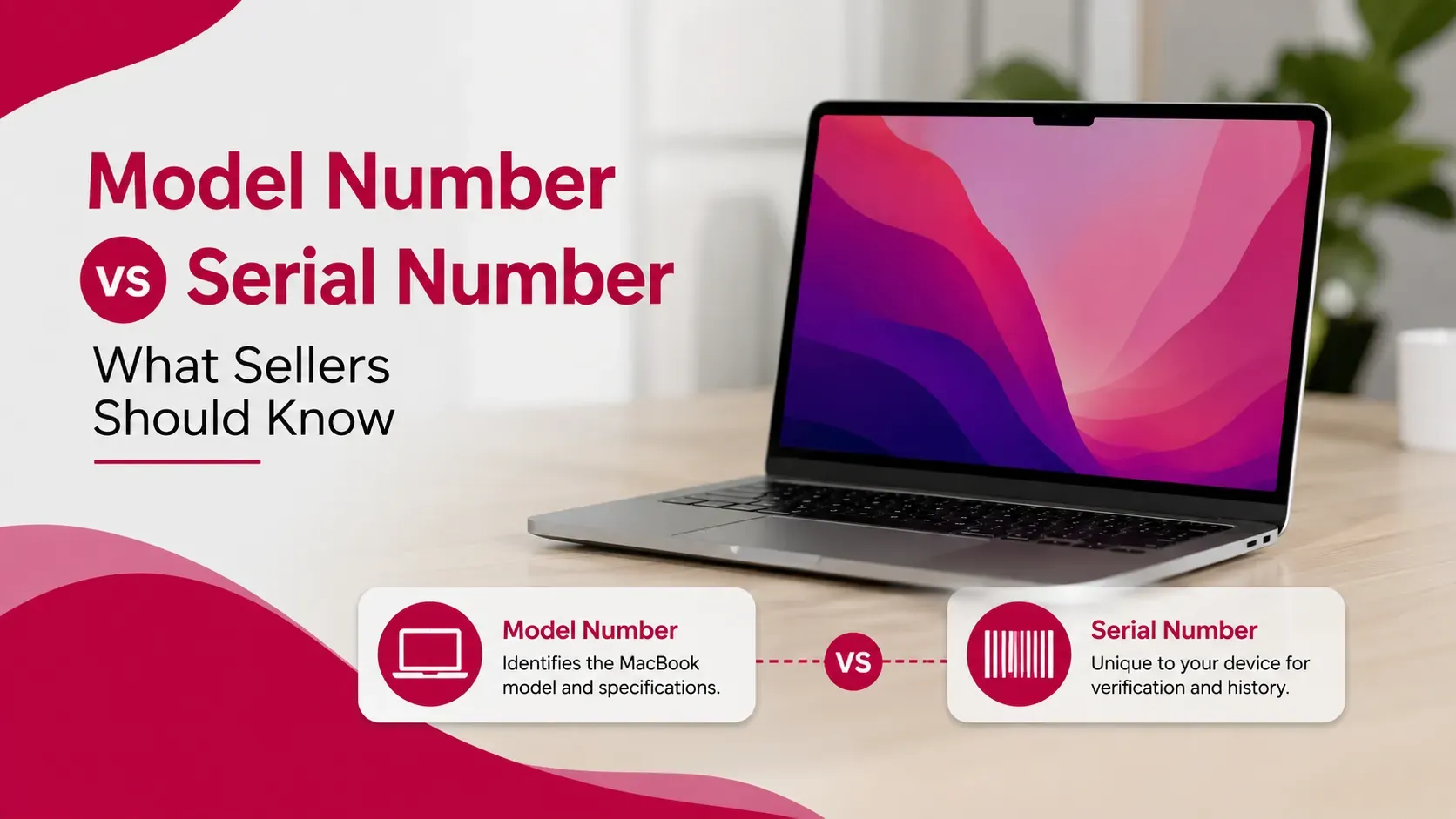
If you are preparing to sell a MacBook, you may be asked for its model number, serial number, or other identification details. These terms can be confusing because they refer to different pieces of information.
The serial number identifies your individual Mac, while the model information identifies the MacBook product and hardware configuration. Apple also uses a model identifier and part number for more specific hardware identification.
Understanding the difference matters when selling because the exact MacBook model can affect its resale value. A MacBook Air M3 with 16GB RAM and 512GB storage, for example, should not be valued in the same way as a different configuration simply because both devices are called MacBook Air.
Apple provides several ways to find these details directly from macOS, on the device itself, through the original packaging, and through your Apple Account. Apple also allows users to enter a Mac's serial number on its coverage website to identify the model.
Quick Answer: MacBook Model Number vs Serial Number
The main difference is simple:
A MacBook serial number identifies the individual device, while the model information identifies the type and configuration of MacBook.
For example:
Identifier | Main Purpose | Useful When Selling? |
|---|---|---|
Serial number | Identifies the individual Mac | Yes, for verification |
Model name | Identifies the product family | Yes, essential |
Model identifier | Identifies a specific hardware family | Yes, for detailed identification |
Part number | Identifies a particular Apple configuration | Yes, especially for exact specifications |
If you are selling your MacBook, you will normally need to know the model name, chip, screen size, RAM, storage, and condition. A buyer or professional buyer may also request the serial number to verify the individual device.
Key Takeaways
- The MacBook serial number identifies one specific device.
- The model name identifies the general MacBook product.
- The model identifier provides more technical hardware information.
- The Apple part number can help identify a particular configuration.
- Your MacBook's serial number can be found in macOS and in several physical or account locations.
- Apple says the serial number can also be used to identify the Mac model through its coverage website.
- Sellers should avoid unnecessarily publishing their complete serial number in public listings.
- Exact model and configuration information is important when requesting a resale valuation.
- Checking the details before listing can help prevent incorrect pricing and buyer disputes.
What Is a MacBook Serial Number?
A MacBook serial number is a unique identifier associated with an individual Mac.
Unlike a product name such as "MacBook Air," the serial number distinguishes your particular device from other MacBooks of the same model.
For example, thousands of people may own the same MacBook Air configuration, but each individual machine has its own serial number.
Apple says you can find the serial number in several places, including:
- Apple menu → About This Mac
- System Information
- The underside of the Mac
- Original packaging
- Your Apple Account
- Apple's coverage website
Apple also provides instructions for finding the serial number through Terminal.
When selling a MacBook, the serial number can therefore be useful for verification.
However, the serial number is not the same thing as the model number.
What Is a MacBook Model Number?
The phrase "model number" can be confusing because Apple provides several different identification fields.
In everyday selling conversations, people often use "model number" to refer to the information that identifies the MacBook model or configuration.
For example, you may describe a device as:
MacBook Pro 14-inch, M4, 16GB RAM, 512GB SSD
That description is much more useful to a potential buyer than simply saying:
MacBook Pro
The model information tells the buyer what type of MacBook they are actually considering.
Apple's official identification pages provide model-specific information for different MacBook generations and configurations.
MacBook Serial Number vs Model Number: What's the Difference?
The easiest way to understand the distinction is to think of it this way:
Model information describes what the MacBook is.
Serial number identifies which individual MacBook it is.
Imagine that 500 identical MacBook Pro devices were manufactured.
All 500 may share the same model information.
But each individual MacBook has a different serial number.
Feature | Model Information | Serial Number |
|---|---|---|
Identifies product type | Yes | No |
Identifies individual device | No | Yes |
Shared by multiple devices | Yes | No |
Useful for valuation | Very important | Supporting information |
Useful for device verification | Yes | Yes |
Normally safe to publish publicly | Generally yes | Better kept private |
This distinction becomes particularly important when selling online.
You can normally advertise the model and specifications publicly.
There is usually less reason to place the full serial number in a public listing.
What Is a MacBook Model Identifier?
The model identifier is a more technical way of identifying a Mac hardware family.
It can look different from the consumer-facing MacBook name.
Instead of simply saying:
MacBook Pro 14-inch
the system may provide a technical identifier associated with the specific hardware generation.
Model identifiers are particularly useful when two MacBooks have similar names but belong to different hardware generations.
Apple's model-identification documentation lists technical identifiers alongside Mac model information.
For most casual buyers, the model name and full specifications are easier to understand.
For professional buyers, technicians, resellers, or people comparing exact configurations, the model identifier can provide additional information.
What Is an Apple Part Number?
The Apple part number is another identifier that can help determine the exact configuration of a Mac.
It can look something similar to:
MLH12xx/A
The exact characters vary depending on the product and configuration.
Apple explains that the part number can be found in About This Mac and can help identify the specific configuration of a Mac.
This can be useful when you need to distinguish between different configurations of what appears to be the same MacBook.
For example, two MacBook models could have:
- Different RAM
- Different storage
- Different regional configuration
- Different original configuration
Knowing the part number can help provide additional context.
Where Can You Find Your MacBook Serial Number?
Apple provides several ways to locate the serial number.
Through About This Mac
This is usually the easiest method.
Open the Apple menu and select:
About This Mac
Depending on the macOS version, you can see the Mac's model information and serial number there.
Apple identifies this as one of the primary ways to locate the serial number.
Through System Information
You can also open System Information to view detailed hardware information.
This is useful if you want more than just the basic MacBook name.
On the MacBook
Depending on the Mac model, the serial number may be printed on the underside of the device.
Apple notes that the exact location can vary by product.
On the Original Packaging
If you still have the original box, the serial number may be printed on its barcode label.
This can be useful when preparing your MacBook for sale.
Through Your Apple Account
Apple says you may also find your Mac's serial number by signing in to your Apple Account and viewing your devices.
How to Find Your MacBook Model Information
If you are selling your MacBook, do not stop after finding the serial number.
You should also record the actual specifications.
At minimum, check:
- MacBook Air or MacBook Pro
- Screen size
- Chip
- Year or generation
- RAM
- Storage
- macOS version
- Battery condition
- Cosmetic condition
For example:
MacBook Air 13-inch, M3, 16GB RAM, 512GB SSD
is much more useful for a buyer than:
MacBook Air M3
The more accurately you identify the configuration, the easier it is to compare your MacBook with similar devices in the used market.
Why Does the Exact MacBook Model Matter When Selling?
The model and configuration can have a significant effect on resale value.
Two MacBooks can look almost identical while having different specifications.
Consider two otherwise similar devices:
Specification | MacBook A | MacBook B |
|---|---|---|
Product | MacBook Air | MacBook Air |
Chip | M3 | M3 |
RAM | 8GB | 16GB |
Storage | 256GB | 512GB |
Calling both simply "MacBook Air M3" leaves out information that may affect the buyer's valuation.
Storage, memory, chip generation, screen size and overall condition can all influence what a buyer is willing to pay.
This is why accurate identification should come before requesting a resale quote.
Why Do Buyers Ask for a MacBook Serial Number?
A buyer may request a serial number for verification.
Depending on the transaction, it can help establish:
- The individual device being discussed
- Whether the Mac matches the stated model
- Apple coverage information
- Device history that can be verified through appropriate channels
- Whether the seller is providing consistent information
However, a seller should distinguish between providing information privately for legitimate verification and publishing the serial number publicly.
A professional buyer may request the serial number as part of its assessment process.
That does not mean you need to display it prominently in a public marketplace listing.
Can a MacBook Serial Number Help Identify Its Model?
Yes.
Apple says that you can enter a Mac's serial number on Apple's coverage website to find the model name.
This can be useful if:
- You forgot the exact model
- The original box is missing
- You are unsure of the generation
- The MacBook has been used for several years
- You are preparing a listing
- You want to verify information before requesting a valuation
However, you should still check the specifications directly on the Mac.
A serial-number lookup can help identify the product, but your selling description should accurately represent the device's current configuration and condition.
Should You Publish Your MacBook Serial Number Online?
Generally, there is little reason to publish the complete serial number in a public listing.
A potential buyer usually needs information such as:
- Model
- Chip
- RAM
- Storage
- Condition
- Battery health
- Warranty status, where relevant
The serial number can instead be shared privately when legitimate verification is required.
This is especially useful when selling through an online marketplace where anyone can view the listing.
Why Avoid Publishing It?
Your serial number is a device-specific identifier.
While it is not a password or Apple Account credential, unnecessarily exposing unique device information can create avoidable privacy and verification concerns.
A sensible approach is:
Public listing: Model and specifications
Private verification: Serial number when genuinely required
This also helps prevent scammers from collecting unnecessary information from listings.
What Information Should You Give a Professional MacBook Buyer?
A professional buyer will usually need enough information to identify and evaluate the device.
Useful details include:
- MacBook model
- Chip
- RAM
- Storage
- Screen size
- Serial number when requested for verification
- Battery condition
- Cosmetic condition
- Repair history
- Accessories
- Original box, if available
- Purchase documentation, if available
You do not necessarily need to provide every piece of information immediately.
Start with the basic specifications and provide additional verification information as required by the buyer.
If you are interested in understanding the broader documentation side of the selling process, see our guide on what documents you need to sell a MacBook in the UAE.
How to Verify Your MacBook Details Before Selling
Before advertising your MacBook, take a few minutes to verify its information.
Step 1: Open About This Mac
Check the displayed MacBook model and basic information.
Step 2: Record the Serial Number
Keep the serial number privately for your records and legitimate verification.
Step 3: Check System Information
Look for more detailed hardware information if necessary.
Step 4: Confirm RAM and Storage
Make sure your listing matches the actual configuration.
Step 5: Check Battery Condition
Battery condition can influence buyer interest, especially on older MacBooks.
Step 6: Check Repair History
If your Mac supports Apple's Parts & Service feature, review the available information.
Step 7: Check Physical Condition
Look for:
- Scratches
- Dents
- Screen marks
- Keyboard wear
- Port damage
- Hinge issues
Step 8: Compare the Information
Make sure the model, specifications and condition in your listing match the actual device.
Accurate information can reduce unnecessary negotiations and prevent disputes after a buyer inspects the MacBook.
What If the Serial Number on the MacBook Does Not Match the Box?
This can happen for legitimate reasons, but it should be investigated before selling.
For example, a device may have been serviced or replaced during its lifetime.
If the serial number shown by macOS differs from the number on the original packaging, do not simply ignore the difference.
Instead:
- Check the serial number in macOS.
- Check the number printed on the device.
- Check the original packaging.
- Review any repair documentation.
- Ask Apple or the relevant service provider if clarification is needed.
A mismatch does not automatically prove that something is wrong, but it is better to understand the reason before completing a sale.
What If You Cannot Find the Original Box?
You can still sell your MacBook.
The original packaging is useful, but it is not the only way to identify the device.
Apple provides multiple ways to find the serial number, including macOS, System Information and your Apple Account.
You can therefore prepare your listing even if the original box is missing.
The same applies to the original receipt. If you do not have it, the MacBook can still potentially be sold, although documentation can sometimes make verification easier.
Common MacBook Identification Mistakes Sellers Make
Confusing the Model Name With the Serial Number
"MacBook Pro M4" and a device-specific serial number are not interchangeable.
Listing Only the MacBook Family
Saying "MacBook Air" does not tell buyers enough about the configuration.
Guessing the Storage
Always verify whether the Mac has 256GB, 512GB, 1TB or another capacity.
Guessing the RAM
Memory configurations can differ even within the same MacBook generation.
Copying the Serial Number Incorrectly
Apple notes that Mac serial numbers use 0 and 1 rather than the letters O and I, which can help avoid transcription mistakes.
Publishing the Full Serial Number in Photos
There is usually no need to display this information publicly.
Using Information From an Old Listing
If you bought the MacBook used, do not assume the previous seller's description is accurate. Verify the specifications directly from your device.
MacBook Identification Checklist Before Selling
Use this quick checklist before creating your listing:
Information | Checked? |
|---|---|
MacBook Air or MacBook Pro | ✓ |
Screen size | ✓ |
Chip | ✓ |
Model/generation | ✓ |
RAM | ✓ |
Storage | ✓ |
Serial number | ✓ |
Battery condition | ✓ |
Repair history | ✓ |
Cosmetic condition | ✓ |
Accessories | ✓ |
Original box | ✓ |
Purchase documents | ✓ |
Keeping this information ready can make the valuation and selling process much easier.
Does the Serial Number Affect MacBook Resale Value?
The serial number itself does not normally make a MacBook more valuable simply because it exists.
Its importance is primarily related to identification and verification.
The factors that usually matter more to resale value include:
- MacBook model
- Chip generation
- RAM
- Storage
- Condition
- Battery health
- Repair history
- Warranty or AppleCare status
- Current market demand
The serial number can help confirm which device is being evaluated, but it is not a substitute for knowing the MacBook's actual specifications.
For a broader explanation of what determines resale value, read how much a MacBook is worth in the UAE.
Does the Model Number Affect MacBook Resale Value?
The exact model and configuration can affect resale value.
A newer generation with more RAM or storage may command a different price from an otherwise similar MacBook with a lower configuration.
This is why sellers should avoid using only a broad product name.
Instead of:
MacBook Pro
provide something closer to:
MacBook Pro 14-inch, M4, 16GB RAM, 512GB SSD
The more precise description gives buyers a clearer understanding of what they are considering.
How Should You List Your MacBook Online?
A strong listing should contain enough information for a potential buyer to understand the device without requiring unnecessary back-and-forth.
A useful listing can include:
Model: MacBook Air 13-inch
Chip: M3
RAM: 16GB
Storage: 512GB SSD
Condition: Excellent
Battery: Normal condition
Repairs: None, if accurate
Accessories: Original charger included
Box: Available, if applicable
You can provide the serial number privately if a serious buyer requires it for verification.
This approach gives buyers useful information while avoiding unnecessary exposure of the device's unique identifier.
Frequently Asked Questions
Is the MacBook serial number the same as the model number?
No. The serial number identifies the individual MacBook, while model information identifies the product and hardware configuration.
What is the serial number used for when selling a MacBook?
It can help verify the individual device and identify its model through Apple's coverage system. Apple provides several ways to locate the serial number.
Where can I find my MacBook serial number?
You can find it in About This Mac, System Information, on the device or packaging in supported cases, and through your Apple Account.
Can I sell a MacBook without the serial number?
You may still be able to sell it, but having access to the serial number can make device identification and verification easier.
Should I give my MacBook serial number to a buyer?
You can provide it when legitimate verification is required, but there is generally no need to publish the complete serial number publicly in an online listing.
Can I find the MacBook model using the serial number?
Yes. Apple says you can enter the serial number on its coverage website to find the model name.
What is the MacBook model identifier?
The model identifier is a technical identifier used to distinguish a particular Mac hardware family. It provides more detailed identification than the general consumer-facing model name.
What is an Apple MacBook part number?
The part number identifies a particular Apple product configuration. Apple provides the part number in Mac system information and uses it as part of its product-identification system.
Does the serial number determine how much my MacBook is worth?
No. The serial number primarily identifies the individual device. Resale value depends much more on the model, configuration, condition, battery health, repair history and market demand.
What if my MacBook serial number does not match the box?
Investigate the discrepancy before selling. Check the number in macOS, on the device and on the packaging, and review any service or replacement documentation if applicable.
Do buyers need my serial number to know the MacBook model?
Not necessarily. The MacBook's system information can provide model details directly. However, a serial number can provide additional verification.
Is it safe to post my MacBook serial number online?
It is generally better not to publish the complete serial number unnecessarily. Provide it privately when legitimate verification requires it.
Final Thoughts
Understanding the difference between a MacBook's model information and serial number can make the selling process much easier.
The model information tells buyers what MacBook you have, while the serial number identifies your individual device. The model identifier and Apple part number can provide additional technical information when an exact hardware configuration needs to be established.
Before selling, verify your MacBook's model, chip, RAM, storage, screen size, battery condition and repair history. Keep the serial number available for legitimate verification, but avoid unnecessarily publishing it in a public listing.
Apple's current identification tools make it relatively straightforward to establish these details. You can check information directly from macOS, your Apple Account, the device itself and, where applicable, the original packaging.
Most importantly, do not rely on the serial number alone when determining your MacBook's resale value. The exact configuration and current condition are far more important when comparing offers.
If you are preparing to sell your MacBook in Dubai, verifying these details before requesting a valuation can help you provide accurate information and avoid unnecessary questions during the selling process.
For more guidance on selling your device, visit Sell My MacBook UAE.