
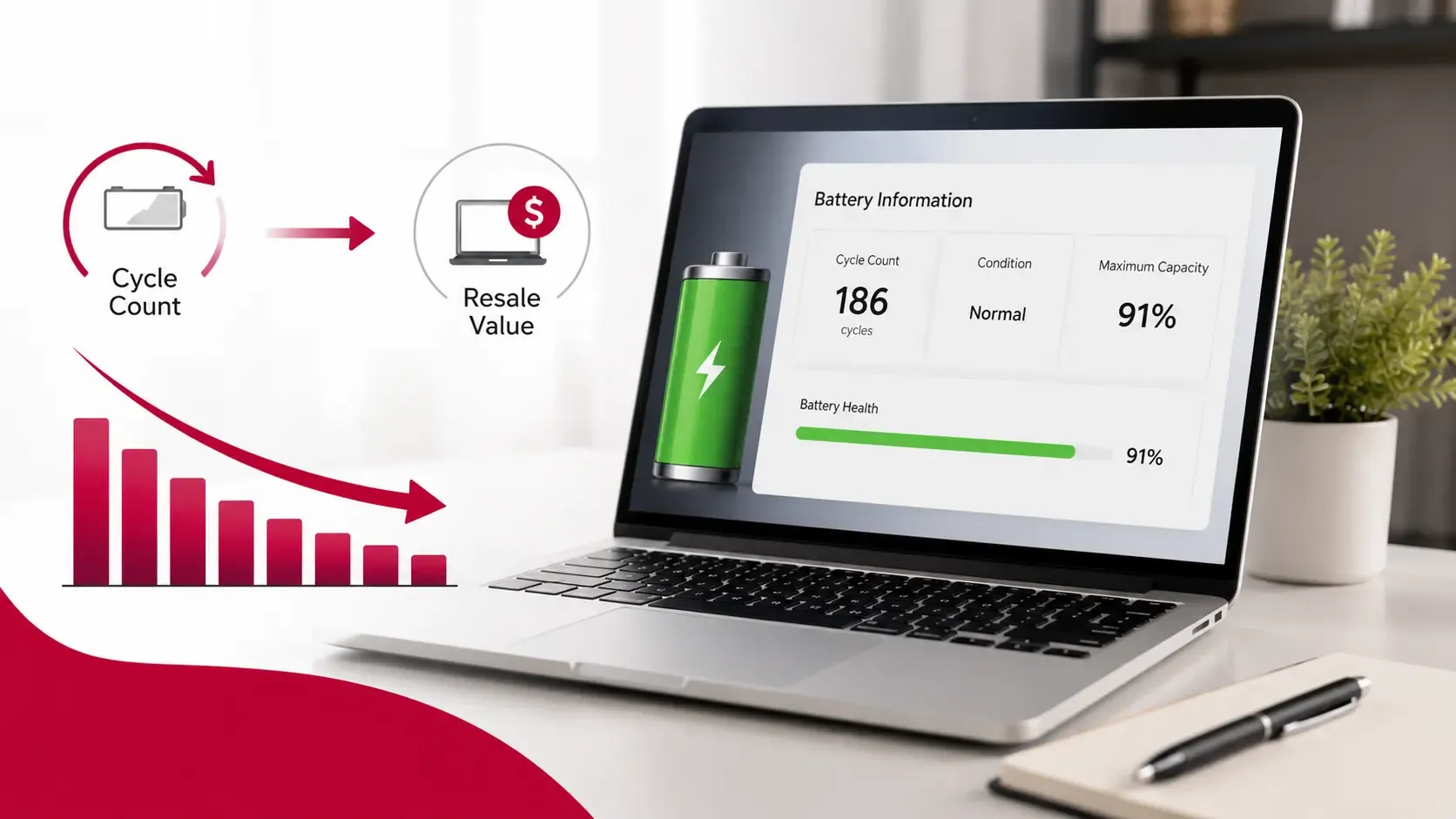
When selling or buying a used MacBook, battery condition is one of the first things people consider. While the processor, storage, RAM, and physical condition all affect value, battery health plays an important role in buyer confidence.
One of the most common battery-related terms you will see is battery cycle count. Many MacBook owners know the number exists but are unsure what it actually means, whether a high cycle count is a problem, and how it affects resale value.
Understanding battery cycle count can help sellers prepare their MacBook better and help buyers make smarter purchasing decisions. A MacBook with a healthy battery is usually more attractive because buyers expect reliable performance without immediate replacement costs.
This guide explains what MacBook battery cycle count means, how to check it, what numbers are considered normal, and how it can influence resale value in the UAE market.
Quick Answer: What Is a MacBook Battery Cycle Count?
A MacBook battery cycle count shows how many complete charge cycles the battery has used during its lifetime.
One cycle does not mean one time charging your MacBook from 0% to 100%.
Instead, one cycle represents using a total of 100% of the battery's capacity, even if that happens across multiple charges.
For example:
- You use 50% of your battery today.
- You charge it fully.
- You use another 50% tomorrow.
Together, this equals one battery cycle.
A lower cycle count generally indicates less battery usage, but it should always be considered together with battery health, age, and overall device condition.
Key Takeaways
- Battery cycle count measures how much a MacBook battery has been used.
- One cycle equals 100% total battery usage, not one charging session.
- Lower cycle counts usually indicate less battery wear.
- Battery condition can influence buyer confidence and resale value.
- Cycle count alone does not determine a MacBook's price.
- Battery health, model, specifications, and physical condition also matter.
- Buyers often check battery information before purchasing a used MacBook.
How MacBook Battery Cycles Work
MacBook batteries are designed to handle a specific number of charge cycles before their ability to hold maximum capacity gradually decreases.
Every time you use battery power, the cycle count increases based on total usage.
For example:
Usage Pattern | Battery Cycle Impact |
Using 100% battery in one day | 1 cycle |
Using 50% battery today and 50% tomorrow | 1 cycle |
Charging from 80% to 100% | Partial usage, not a full cycle |
This means frequently charging your MacBook does not automatically damage the battery. Modern MacBooks are designed to manage charging intelligently and optimise battery lifespan.
The cycle count simply provides an indication of how much battery usage the device has experienced.
What Is a Good MacBook Battery Cycle Count?
There is no single cycle count number that makes a MacBook "good" or "bad". The acceptable range depends on the MacBook model, battery technology, age, and how it has been maintained.
As a general guide:
Battery Cycle Count | General Condition |
0–200 cycles | Very low usage, usually excellent |
200–500 cycles | Normal usage for many MacBooks |
500–800 cycles | Higher usage, battery condition should be checked |
800+ cycles | More battery wear, may affect buyer interest |
Many newer MacBook models are designed to support hundreds of cycles while maintaining good battery performance. However, a MacBook with a higher cycle count is not automatically a bad purchase.
For example, a professionally maintained MacBook with 700 cycles may still perform well, while a poorly maintained device with fewer cycles may have other issues.
The cycle count should always be evaluated alongside:
- Battery health percentage
- Charging performance
- Device age
- Overall condition
How to Check MacBook Battery Cycle Count
Checking the battery cycle count is simple and does not require third-party software.
Follow these steps:
- Click the Apple menu in the top-left corner.
- Select About This Mac.
- Open System Report.
- Select Power from the Hardware section.
- Find Cycle Count under Battery Information.
You can also check:
- Battery condition
- Full charge capacity
- Charging status
- Battery health information
When selling a MacBook, sharing accurate battery information can help build trust with potential buyers.
Does Battery Cycle Count Affect MacBook Resale Value?
Yes, battery cycle count can affect resale value, but it is only one factor among many.
A lower cycle count may increase buyer confidence because it suggests the battery has experienced less usage. Buyers often prefer devices that are likely to provide longer battery life without requiring immediate maintenance.
A higher cycle count may raise concerns about:
- Reduced battery capacity
- Shorter usage time
- Possible future battery replacement costs
However, the impact depends on the MacBook model and overall condition.
For example:
- A newer MacBook Pro with a higher cycle count may still have strong demand because of its performance.
- An older Intel MacBook with battery issues may lose more value because buyers consider replacement costs.
Battery condition is part of the bigger resale picture. Factors such as model, storage, RAM, and physical condition also influence pricing. You can check your MacBook's resale value by considering all these factors together.
How Buyers Evaluate Battery Condition
Most buyers do not look at cycle count alone. They usually consider multiple battery-related factors before deciding whether a MacBook is worth purchasing.
Important checks include:
Battery Health Status
macOS provides a battery condition indicator that shows whether the battery is operating normally.
A battery showing normal condition usually creates more confidence than one showing service warnings.
Battery Life During Usage
Buyers may ask:
- How long does the battery last?
- Does it drain quickly?
- Does it shut down unexpectedly?
Real-world battery performance can sometimes reveal issues that a cycle count does not show.
Charging Behaviour
Buyers may also check whether:
- The MacBook charges normally.
- The charger works properly.
- The battery percentage increases consistently.
Battery Health vs Battery Cycle Count: What Matters More?
Although battery cycle count is useful information, it is not the only measurement buyers should consider.
Battery health often provides a clearer picture of the current condition of the battery.
A MacBook can have:
- A low cycle count but reduced battery capacity due to age.
- A higher cycle count but still offer acceptable performance.
For example, a MacBook that has been rarely used but stored for several years may have fewer cycles but a battery that has naturally aged.
On the other hand, a regularly used MacBook with proper charging habits may still have a healthy battery despite having more cycles.
When evaluating a used MacBook, buyers should consider:
- Cycle count
- Battery health percentage
- Actual battery performance
- MacBook age
- Previous usage habits
This balanced approach gives a more accurate understanding of battery condition.
Can You Sell a MacBook With a High Battery Cycle Count?
Yes, you can still sell a MacBook with a high battery cycle count.
A higher cycle count does not make a MacBook unusable. Many buyers are willing to purchase devices with higher battery usage, especially when:
- The price reflects the condition.
- The MacBook has strong performance.
- The overall condition is good.
- The battery still provides acceptable usage time.
However, sellers should be transparent about battery condition.
Hiding battery information can create trust issues during inspection or negotiation.
A MacBook with a high cycle count may still attract buyers if the seller provides accurate details and sets a realistic price.
Other factors such as scratches, repairs, specifications, and age also influence resale value. For more information, read our guide on factors that reduce MacBook resale value.
Should You Replace the Battery Before Selling a MacBook?
Replacing the battery before selling is not always the best decision.
The right choice depends on the MacBook model, repair cost, and expected resale value.
Replacing the Battery May Be Worth It If:
- The battery is failing.
- macOS shows a service warning.
- The MacBook is a newer model.
- The replacement cost is reasonable compared with the expected selling price.
A fresh battery can make the device more attractive to buyers and improve confidence.
Battery Replacement May Not Be Worth It If:
- The MacBook is an older model.
- Replacement cost is high.
- Other components are also showing age.
- The resale value does not justify the investment.
For many older MacBooks, selling the device honestly with its current battery condition may be the more practical option.
How Battery Condition Affects Buyer Decisions
Battery condition is often one of the first things buyers ask about because replacing a MacBook battery can be expensive.
A MacBook with:
- Healthy battery condition
- Lower cycle count
- Good charging performance
usually creates stronger buyer confidence.
A MacBook with:
- Battery service warnings
- Very poor battery life
- Unexpected shutdowns
may require a lower selling price.
However, battery condition should always be viewed alongside other factors. A newer MacBook with a slightly higher cycle count may still be more valuable than an older model with a better battery.
Understanding how battery health affects MacBook value can help sellers and buyers make better decisions.
Tips to Maintain MacBook Battery Health Before Selling
If you plan to sell your MacBook in the future, maintaining good battery condition can help protect its value.
Avoid Extreme Temperatures
Heat can negatively affect battery performance.
Avoid using or storing your MacBook in very hot environments for extended periods.
Keep macOS Updated
Software updates often include battery management improvements that help optimise performance.
Avoid Unnecessary Battery Drain
Good habits include:
- Closing unused applications.
- Reducing unnecessary background activity.
- Avoiding frequent complete battery drains.
Store the MacBook Properly
If you are not using your MacBook for a long period:
- Keep it in a dry environment.
- Avoid storing it completely empty.
- Protect it from extreme temperatures.
What Else Affects MacBook Resale Value Besides Battery?
While battery condition matters, it is only one part of the resale equation.
Other important factors include:
- MacBook model and processor
- RAM and storage capacity
- Physical condition
- Screen quality
- Keyboard and trackpad condition
- Original accessories
- Repair history
- Current market demand
For example, a MacBook Pro with an Apple Silicon chip may maintain stronger demand even if it has more battery cycles compared with an older Intel model.
Frequently Asked Questions
What is a good battery cycle count for a MacBook?
A lower cycle count generally indicates less battery usage, but the ideal number depends on the MacBook model, age, and battery condition. A cycle count under 500 is often considered normal for many used devices.
Does a high cycle count reduce MacBook value?
It can affect value because buyers may expect lower battery performance or future replacement costs. However, it is only one factor among many.
How do I check my MacBook cycle count?
Go to Apple Menu → About This Mac → System Report → Power, then check the Cycle Count under Battery Information.
Do buyers check battery cycle count before purchasing?
Many buyers do, especially when purchasing used MacBooks. They may also check battery health, charging performance, and overall condition.
Can I sell a MacBook with a bad battery?
Yes. A MacBook with battery issues can still have value depending on the model, condition, and repair possibilities. Sellers should disclose the battery condition clearly.
Should I replace my MacBook battery before selling?
It depends on the MacBook's age, repair cost, and expected selling price. Battery replacement is not always financially beneficial.
Is battery health more important than cycle count?
Both are useful, but battery health often gives a better indication of the current condition. Cycle count only shows usage history.
Final Thoughts
MacBook battery cycle count is an important detail that buyers and sellers should understand, but it should not be viewed as the only measure of a device's value.
A lower cycle count can increase buyer confidence, while a higher cycle count may affect expectations about battery performance. However, the MacBook's model, specifications, physical condition, and overall demand play equally important roles in determining resale value.
For sellers, being transparent about battery condition and providing accurate information can make the selling process smoother. For buyers, checking cycle count along with battery health and device condition helps avoid unexpected issues.
If you are planning to upgrade or sell your device, you can sell your MacBook in Dubai by understanding your MacBook's condition and preparing it properly before listing.
For more guidance on MacBook valuation, preparation, and resale, visit Sell My MacBook UAE.